
Free vs Pro SEO Plugins on a Real Blog: When Upgrading Finally Made Sense
- themestories
- Dec 12, 2025
- 4 min read
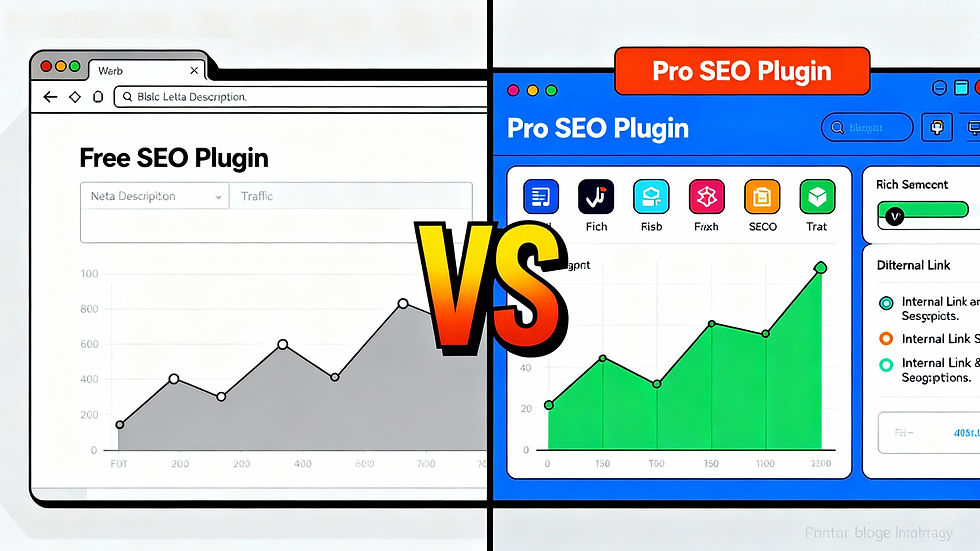
For years, the blog ran on a free SEO plugin and did just fine. Titles and meta descriptions were set, sitemaps existed, and basic on‑page SEO felt “good enough.” The logic was simple: why pay for a Pro SEO plugin when traffic was growing without it?
That worked… until growth stalled. Impressions were rising, but clicks weren’t keeping up. Competitors with similar content were outranking key posts. After a lot of hesitation, upgrading from a free SEO plugin to a Pro version finally made sense – and the difference showed up in both the workflow and the search results. This post breaks down what free SEO plugins handle well, where they hit their limits, and when paying for Pro is actually worth it.
What free SEO plugins already do really well
Most popular free SEO plugins cover the fundamentals that every blog needs:
Custom SEO titles and meta descriptions for posts, pages, and archives
XML sitemaps to help search engines discover content
Basic schema support and canonical URLs
Simple on‑page content checks (keyword in title, length hints, etc.)
If a site is brand new or has only a handful of posts, staying on the free version is usually fine. You can optimize basics, learn SEO habits, and focus on producing quality content without paying a cent. Free versions are perfect for:
Early‑stage blogs still figuring out their niche
Small hobby sites with no monetization yet
Website owners testing different SEO plugins before committing
For a long time, that was exactly the setup on this blog – and it genuinely worked.
Where the free version started to hold the blog back
Over time, the cracks began to show. As the blog grew past a few dozen posts and started targeting more competitive keywords, the free SEO plugin felt limited in a few key ways:
No advanced schema options for things like FAQs, how‑to guides, or product comparisons
Limited internal linking suggestions, which made content hard to connect at scale
No built‑in content analysis for multiple focus keywords or related phrases
Very basic redirects and technical tools, often requiring separate plugins
None of this “broke” the site, but it did make optimization slower and less strategic. When trying to rank for tougher keywords, the difference between “bare minimum SEO” and “deep optimization” matters. At some point, free started costing more in lost opportunities than Pro would cost in actual money.
Why upgrading to a Pro SEO plugin finally made sense
The decision to upgrade wasn’t made lightly. It came down to a few practical questions:
Is the blog earning enough (ads, affiliates, products, services) to justify the subscription?
Are there features in the Pro version that directly support growth goals?
Will paying for Pro replace two or three other plugins and simplify the stack?
Once the answer to those questions was “yes,” upgrading became less of an expense and more of an investment. Pro features that made an immediate difference included:
Advanced schema and rich snippet support for FAQs, product boxes, and comparison tables
Better internal linking suggestions to strengthen topic clusters
SEO analysis for multiple keywords and related phrases per article
Built‑in redirect management and more detailed sitemap control
Instead of piecing together several free tools, there was one Pro plugin that handled the important SEO work in one place.
How the workflow changed after going Pro
Beyond raw features, the biggest change showed up in day‑to‑day publishing. With the Pro plugin:
Drafts could be fully optimized inside the editor: primary keyword, secondary keywords, rich schema, and internal links all in one pass.
Important posts (for example, affiliate round‑ups or cornerstone guides) got more structured data, improving the chances of winning rich snippets.
Old content audits became easier because the plugin flagged posts with weak metadata, poor readability, or missing links.
In other words, Pro did not magically “rank everything overnight,” but it did make it much easier to systematically improve content. That consistency is what helped rankings climb over time.
What actually changed in results (and what didn’t)
After the upgrade, a few trends became clear over several months:
Click‑through rates improved on posts where titles and meta descriptions were refined with better tools and testing.
Articles using richer schema (like FAQ or product markup) were more likely to stand out in search results.
Internal linking improved across the site, helping newer posts get discovered faster and supporting topic authority.
But some things did not change – and it’s important to be honest about that:
The Pro plugin did not fix thin content or weak topics. Bad articles stayed bad.
Competitive niches still required strong backlinks and consistently better content than rivals.
Rankings moved gradually, not overnight, even with better optimization.
The plugin became a powerful assistant, not a magic wand.
When to stay free vs when to go Pro
A simple way to help readers decide is to give them a quick rule of thumb:
Stay on free if: the site is new, traffic is low, monetization is minimal, and the main focus is learning SEO basics and publishing consistently.
Seriously consider Pro if: the blog is earning money, competing in tougher niches, or managing dozens of posts where advanced schema, better internal linking, and time‑saving automation will have real impact.
Free SEO plugins can take a blog surprisingly far. But when data shows that the bottleneck is no longer content volume but optimization depth, upgrading to a Pro SEO plugin starts to make real business sense – not just for rankings, but for time, workflow, and long‑term growth.
Comments